Once an AI short drama is finished, creators usually need to break the full episode into short clips that work on social platforms. The key to AI short drama clipping is not mechanically slicing out random scenes. It is finding the character conflict, plot twists, and emotional peaks in the finished video, then shaping them into a segment that makes sense on its own while leaving viewers wanting more.
For creators who need promo material, an AI editing tool can help locate candidate highlights fast and cut down the time spent scrubbing through episode after episode. Below, we look at how to turn an AI short drama into a more shareable clip from three angles: structure, workflow, and tooling.
What Does an Effective Short Drama Promo Clip Look Like?
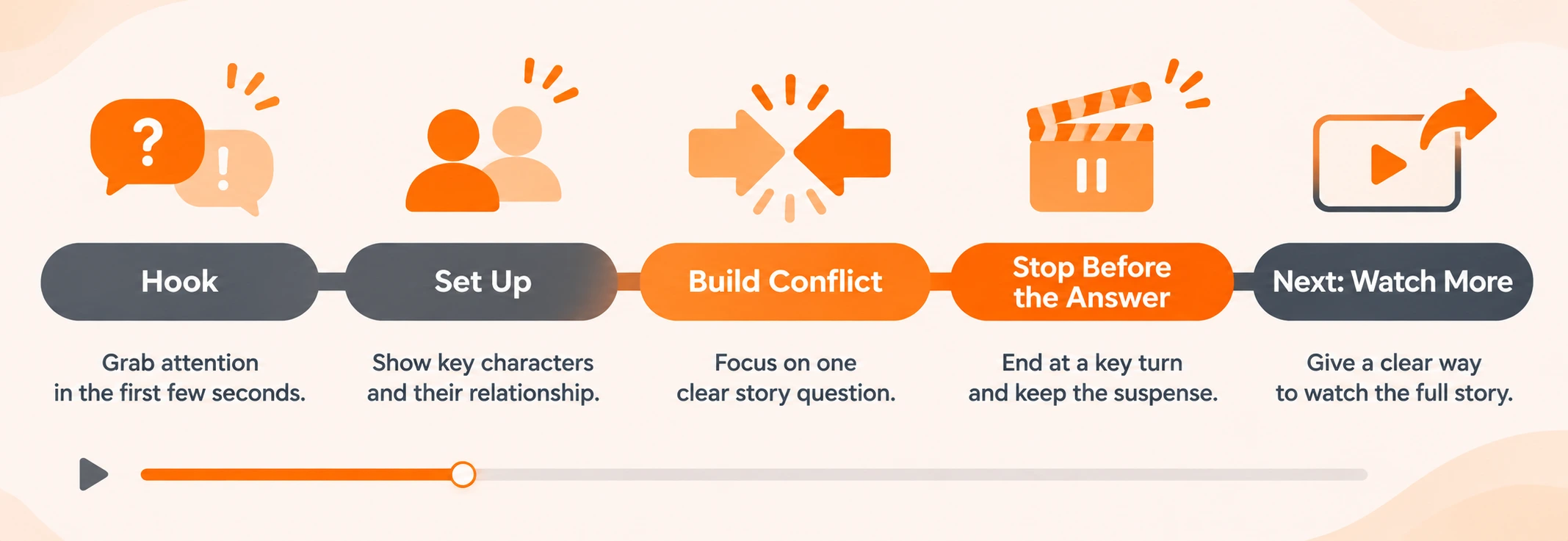
A short drama clip is not better just because it is more intense. It should be built around one clear plot question. Viewers should come away knowing what happened, while still wanting to know what happens next. A good clip can be structured like this:
- Open with a hook. The first few seconds can show a key accusation, a clue about someone's identity, an unexpected outcome, or a conflict about to erupt, so viewers immediately know what is at stake.
- Establish the character relationships quickly. Use the necessary shots or short captions to explain who the characters are to each other and why the current conflict matters. Do not leave someone who missed the first few episodes completely lost.
- Build around a single plot question. Try to tell one clear storyline per video, such as whether she will discover the truth. Do not cram in multiple characters and unrelated subplots.
- Keep the escalation and character reactions. Do not just stitch together arguments, tears, or twists. Keep the key dialogue, actions, and reactions that move the story forward.
- Cut before the answer is revealed. Stop at a point where the evidence is about to surface, a character is ready to respond, or the conflict is escalating, but never invent suspense that does not exist in the source video.
- Give viewers a clear next step. Depending on your promo goal and platform rules, show the drama title, official account, or where to watch, so interested viewers know where to continue.
Imagine an AI short drama about a heroine who discovers her identity has been taken. The clip can open with her confronting the other person, add one or two shots that establish their relationship, show her finding the evidence, and stop right before the truth comes out. That preserves the conflict and still lets a first-time viewer follow the story.
A good short drama clip does not just show the most spectacular frames, it helps viewers understand the current conflict and makes them want to see what happens next.
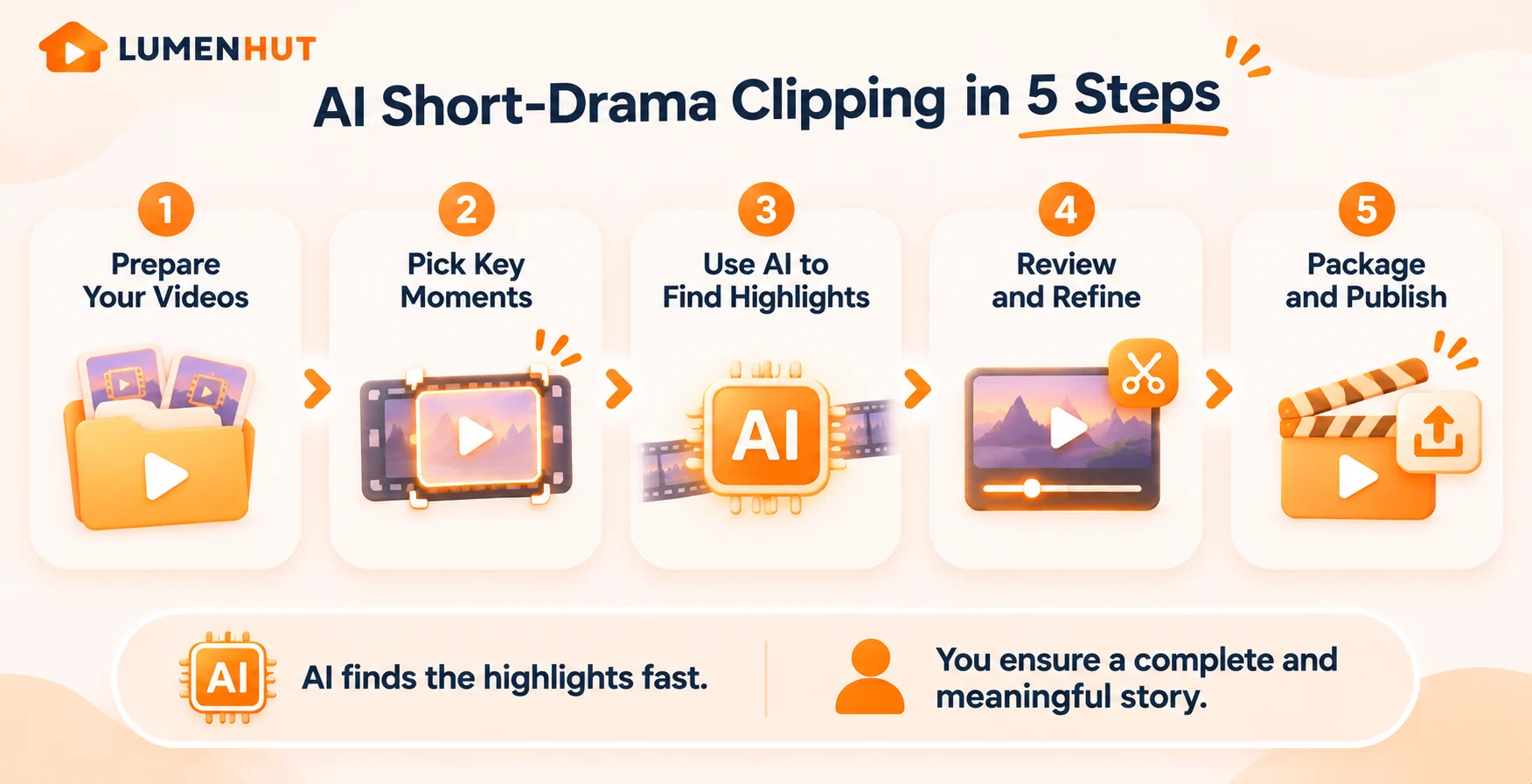
How to Make AI Short Drama Clips: 5 Steps
1. Prepare the Finished Short Drama
Gather the AI short drama videos you want to edit and save them by episode or storyline. If you have a plot summary and a character relationship sheet, prepare those too so you can cross-check details later.
2. Decide Which Plot Highlights to Keep
Look first for character conflict, identity reversals, key evidence, and suspenseful moments. Decide what this one video is about before you choose which segment to cut.
3. Use AI to Shortlist Candidate Clips
Import the finished video into an AI highlight editing tool and let it flag segments worth a closer look. Treat the output as a candidate list rather than a final cut; you do not need to keep every suggestion.
4. Review and Adjust the Story
Preview each candidate and check that the opening provides the necessary context, key dialogue is not cut off, and the ending leaves reasonable suspense. If viewers would not understand the scene, add the missing shots back in.
5. Package and Publish
Check subtitles, character names, aspect ratio, and cover title, then add the drama title and viewing link as required by the platform. After publishing, adjust your next round of selections based on how the video performs.
AI handles fast highlight detection, while humans judge whether the story is complete and the edit makes sense.
How to Use lumenhut to Cut AI Short Drama Highlights
If you already have a finished AI short drama, you can use lumenhut to find segments worth promoting. The process has three steps:
1. Download and Install lumenhut
Go to the lumenhut download page, choose the Windows or macOS version, complete the installation, and open the desktop client.
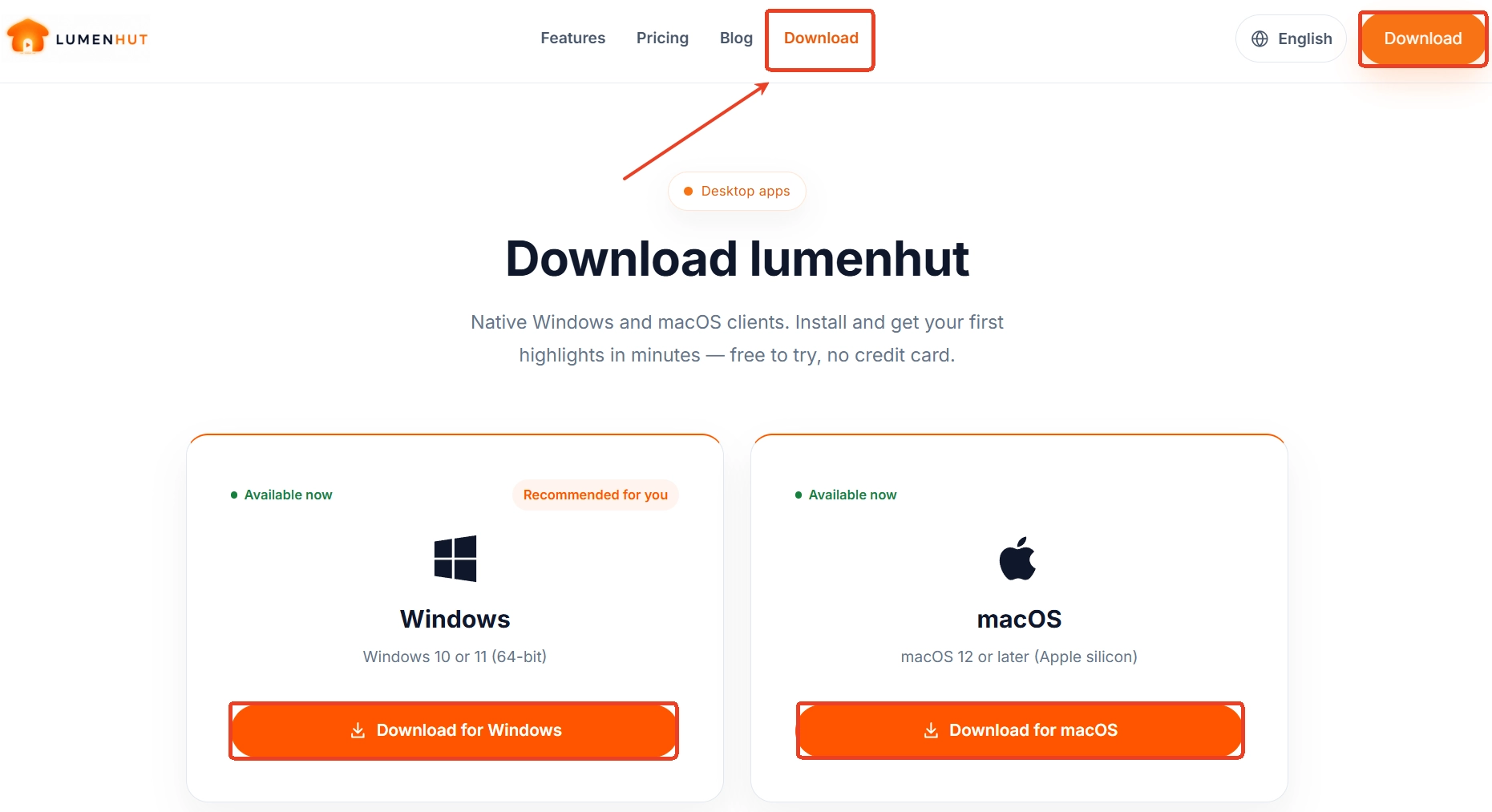
Choose the installer that matches your computer's operating system.
2. Upload the Short Drama and Create a Project
Import your finished short drama on the lumenhut home screen, select the matching content type, set how many candidate highlights you want, and create the project.
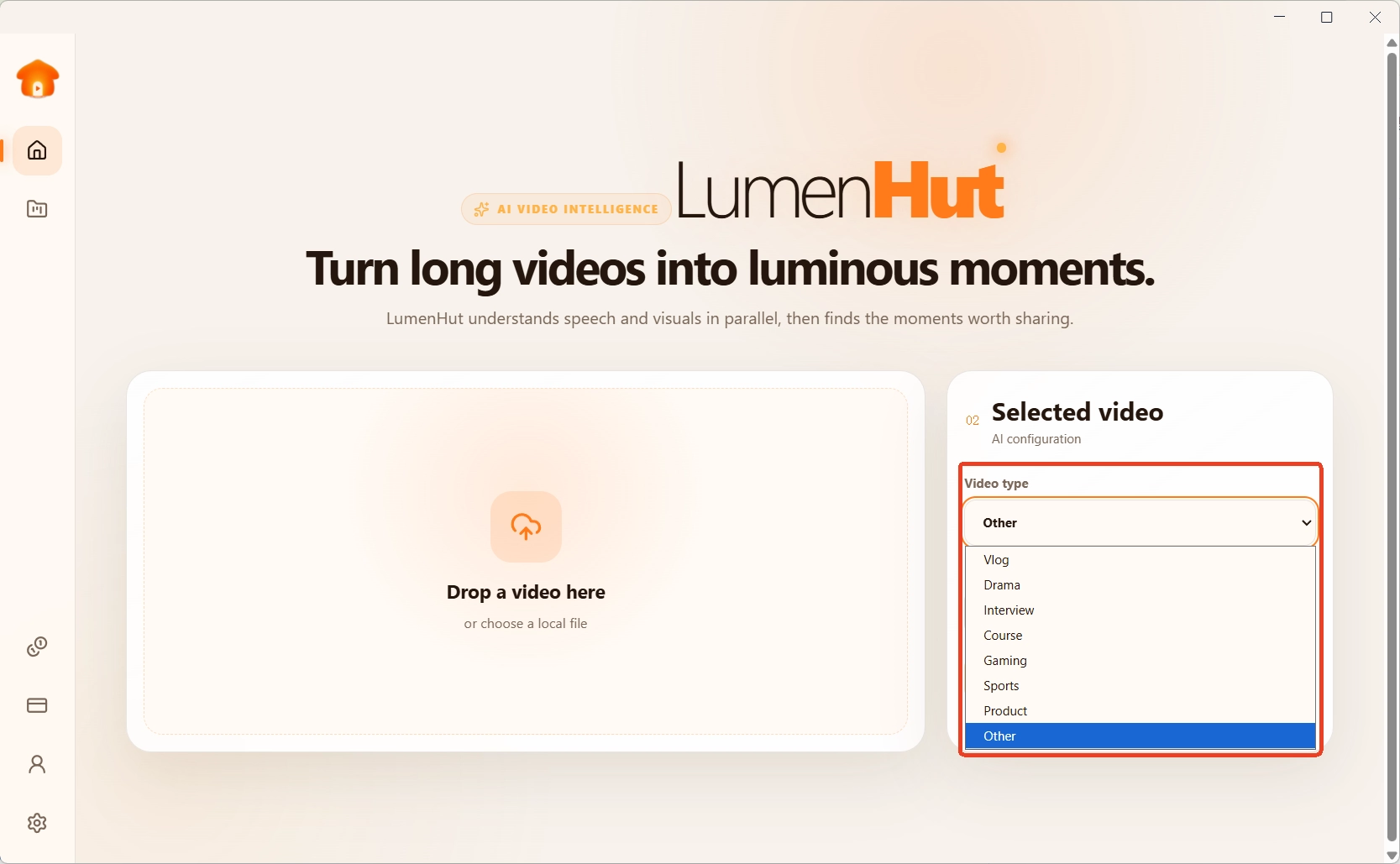
Upload the finished short drama, choose the short drama content type, and set the number of candidate clips.
3. Review and Export the Highlights
Once analysis is complete, open Projects to see the generated candidate clips. Preview them one by one, check character relationships, key dialogue, and the ending, then keep the ones that work and export them individually or as a highlight reel.
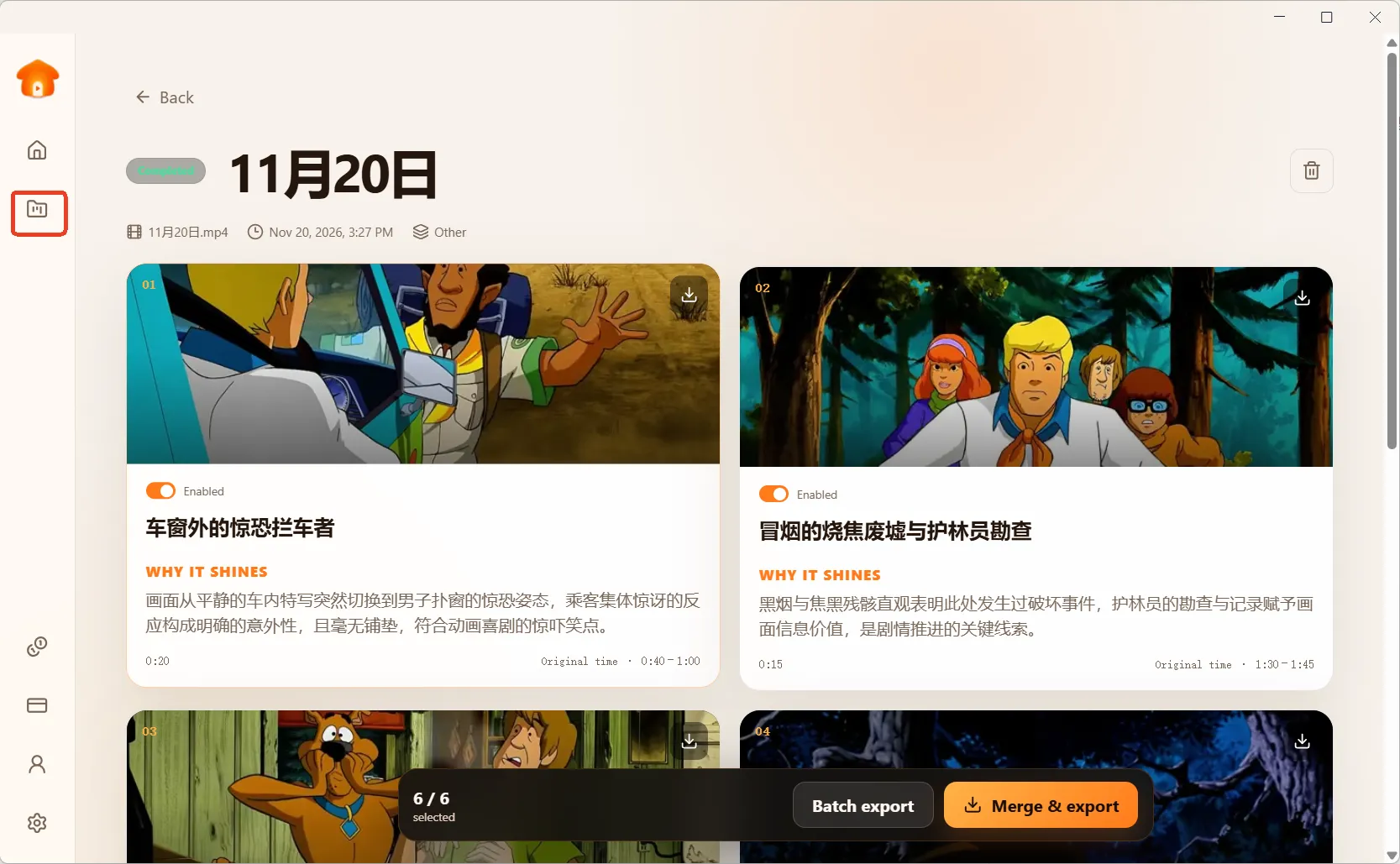
Review the plot highlights suggested by AI, keep the clips that suit your promo, and export them.
Problems Cutting AI Short Dramas? Try These Fixes
When making short drama clips, the issues are usually not just how to cut. They also include whether viewers can follow the scene, whether AI suggestions are usable, and whether multiple videos look too similar. Adjust based on the situation below:
| Problem | Likely Cause | How to Fix It |
|---|---|---|
| The opening is intense, but viewers still scroll past | Only emotional shots, with no character relationships or conflict established | Add necessary context after the hook so viewers understand what is happening as quickly as possible |
| AI flags many clips, but few are usable | Selection based only on visuals or emotion, without plot context | Analyze in batches by storyline, then manually check cause and effect and character reactions |
| Subtitles look right, but the story is hard to follow | Missing key dialogue, actions, or lead-in shots | Review what comes before and after the clip and fill in the missing information instead of relying on subtitles alone |
| The ending feels abrupt or gives away the result | Cut points ignore story pacing | Keep key reactions and stop naturally before the answer, avoiding hard cuts or spoilers |
| Several clips look almost identical | The same scene, twist, or opening used repeatedly | Select from different characters, conflicts, and plot points, and avoid repackaging the same material |
Check These Items Before You Publish
Before publishing, quickly check that subtitles and character names are accurate, nothing important is cropped, the opening is easy to follow, the ending matches the source video, and the title and cover do not exaggerate the plot.
Publishing reminder: Before using someone else's short drama or material provided by a generation platform, confirm the license and commercial usage rights. If the content is AI-generated or synthetic, label it in line with applicable rules and platform requirements. Being able to download material does not mean you can edit and promote it freely.
AI Short Drama Clipping FAQs
How do you clip an AI short drama?
Start by organizing the finished video and your plot notes, then identify candidate moments such as conflicts or twists. Use an AI tool to shortlist highlights, and finally adjust the opening, ending, subtitles, and framing by hand. The goal is a complete mini-conflict that viewers can follow, not just the most intense few seconds.
What tools should you use to clip AI short dramas?
Look for an AI editing tool that can analyze video content, detect highlights, and export clips. Check whether it recognizes plot points, how easy it is to preview and adjust results, and whether the export format meets your platform's requirements. Lumenhut can help identify candidate highlights in a finished short drama.
How long should an AI short drama clip be?
There is no fixed length. What matters is that viewers can follow a specific conflict and still want to keep watching. Choose the segment based on the story first, then adjust the length to fit the platform or campaign requirements.
Can lumenhut generate an AI short drama directly?
No. Lumenhut analyzes finished videos and helps you find highlight segments. It does not generate characters, scenes, or new short drama episodes from a script.
Find Promotable Short Drama Highlights Faster with AI
The most time-consuming part of AI short drama clipping is often finding the story worth promoting among hours of finished footage. Define the conflict or twist you want to show first, use AI to shortlist candidate clips, then check the story and the edit by hand. That is usually more effective than clipping in bulk at random.
If you already have finished AI short drama footage and want to spend less time hunting for highlights episode by episode, try lumenhut's AI highlight editing feature. Start from candidate clips, then fine-tune and publish them for your actual promo needs.