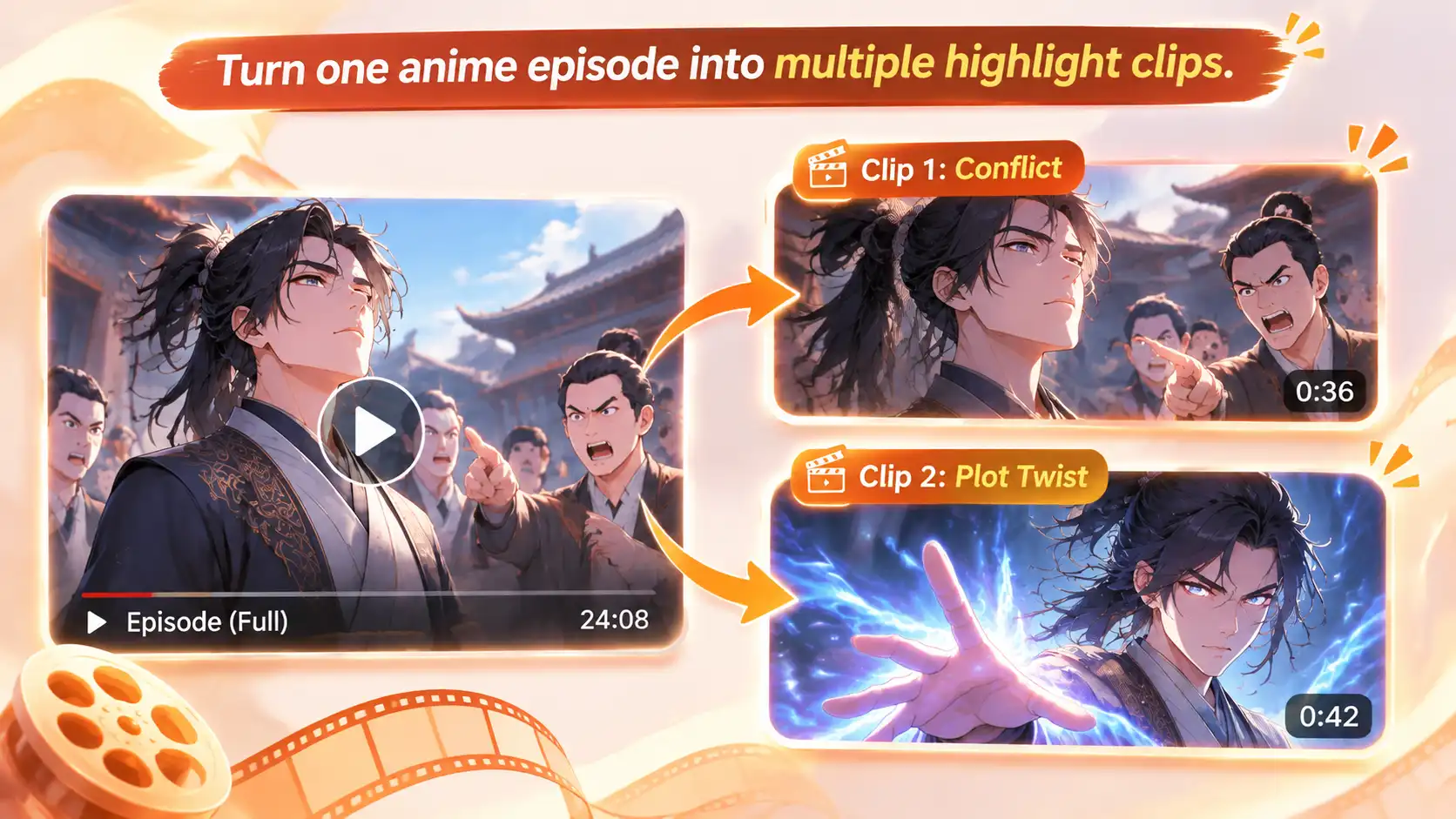
Finishing an AI anime drama does not mean you have wrung every last bit of value out of it. Publishing full episodes is one way to reach an audience. The other is to pull out the fights, the reveals and the emotional breaking points, cut them into standalone short videos, and use them to win new viewers, promote the series, or push people toward the next episode.
Cutting clips out of an anime drama is not the same as grabbing a few good-looking frames, though. Most people who see your clip have never watched the show. If the clip carries no context about the characters, no setup for the scene, and no line of dialogue that explains what is at stake, even beautiful footage can leave a viewer with no idea what just happened.
So how do you turn an AI anime drama into promotional shorts? What follows is a workflow you can run from start to finish, from choosing the scene to hitting publish, plus a walkthrough of how LumenHut helps you surface the strongest moments inside a long series.
1. First, separate two different jobs: producing the drama and promoting it
AI anime drama production and clip-based promotion both revolve around video, but they solve completely different problems.
Production starts from a novel, a script or an idea and turns it into animation: character design, storyboards, image generation, motion and voice work. Promotion starts at the other end. It takes a drama that already exists as raw material, chooses the story beats worth spreading, and shapes them into short videos.
| What you are comparing | AI anime drama production | Clip-based promotion |
|---|---|---|
| Source material | Novels, scripts, story ideas | A finished anime drama |
| Main work | Character design, storyboards, image generation, voice-over | Scene selection, editing, subtitles, thumbnail and title |
| Core goal | Produce a complete drama | Win attention with standout moments |
| Final output | Full episodes or animated sequences | Self-contained promotional shorts |
This article is about the second job. You already have a finished drama and want more viewers through clips and short-form promotion.
That also means you do not have to animate anything new. Your job is to find the parts of the existing footage that are worth passing around, so that the limited hours you have for editing go into scenes that actually pull people in.
2. Which anime drama scenes are worth promoting?
Not every storyline survives being cut down to thirty seconds. Some scenes look expensive but nothing much actually happens in them. Others are packed with conflict, yet only make sense if you have watched the previous three episodes. Slice those out as they are and viewers keep scrolling.
When you choose material for promotion, give priority to these four types of scene.
| Scene type | What to look for | What to protect in the edit |
|---|---|---|
| Character conflict | Arguments, misunderstandings, standoffs, someone being framed | The cause of the conflict and how each character reacts |
| The turn | A revealed identity, hidden strength, the balance of power flipping | Enough setup for the twist to land at full force |
| Emotional peak | Anger, shock, grief, a sudden surge of excitement | Faces, key lines and the decisive shot |
| Suspense | A discovery, a key character walking in, a sudden shift | An ending on a natural beat that leaves a reason to keep watching |
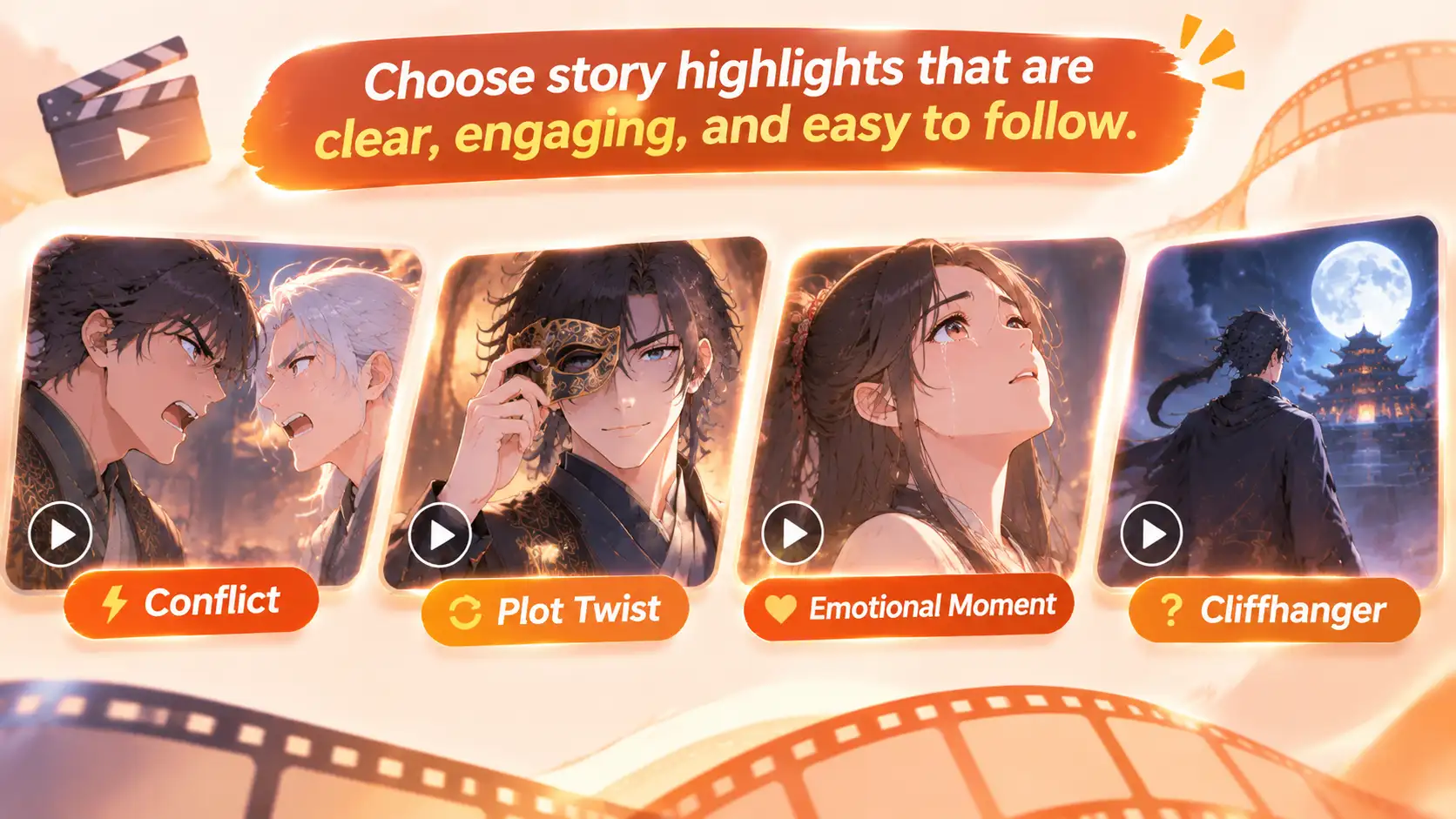
A good clip is judged on more than how good it looks — check whether the story holds together and whether the relationships are clear enough for someone who has never seen the show to follow the main conflict.
Anime dramas add one more complication. Dialogue and image usually have to work together to carry the plot. A sarcastic line only reads as sarcastic when you can see the other character's face. Keep the line but cut the reaction shot, or keep the expression but drop the line that came before it, and a scene that was genuinely funny stops making sense.
A quick test: imagine someone who has never seen this drama. Working only from this clip, can they tell who these people are, what is happening, and why it matters? If the answer is no, put some of the surrounding footage back.
If you want to go deeper into how short-drama clips are built, the practical guide to AI short-drama clipping breaks down how to stage character conflict, reversals and open questions.
3. What to settle before you start cutting
Before you open an editor, decide two things: whether you are allowed to use the footage, and what this round of promotion is supposed to achieve. Settling that first saves you from finishing a clip and only then discovering it cannot be published.
1. Confirm you have the rights to the material
Start with the basic question: did you make this drama, or do you have permission to use it? For commercial promotion, account operations or paid advertising, check that the licence covers editing, adaptation, public release and commercial use, not simply viewing.
The drama itself is not the only asset involved. Music, fonts, voice performances, character designs and other third-party material inside the video carry their own terms. Something being publicly viewable does not make it free to download, re-cut and republish.
Under China's Copyright Law, reproduction, adaptation and making a work available over information networks each engage separate rights, so confirm the scope of your authorisation before you use someone else's work.
2. Decide what this promotion should highlight
Do not start with a plan to carve one episode into fifteen videos. It is far more effective to name the goal first and then pick the scenes that serve it.
Want a new audience to understand the premise? Choose a scene that shows the world and the relationships. Want people to keep watching? Lead with an identity reveal, a major conflict, or a question the series has not answered yet. Promoting one particular episode? Use its most representative scene and nothing else.
3. Organise the footage and log where the good scenes are
If the material spans several episodes, file the videos by series name, episode number and filename, and write down the timecodes of the scenes you might cut. Later, when you re-edit a clip, hunt for a specific shot or build an alternate version, you will not have to sit through everything from the beginning.
4. How to cut a clip: five steps to one promotional video
With the rights cleared and the angle chosen, you can start editing. A finished AI anime drama does not need a complex production pipeline at this stage. The whole job is turning the most valuable part of the story into a short video that stands on its own.
1. Choose a single story hook
Find one clear idea inside the episode: the protagonist fighting back after being set up, a hidden identity coming out, an unexpected collision between two characters. One clip should hang on one hook. Do not staple together scenes that have nothing to do with each other.
2. Find the full stretch of story
Once the hook is set, go back to the source and locate the scene. Open slightly before the conflict begins so there is enough setup, and close on the outcome or on a natural point of suspense, so viewers know what just happened.
3. Cut what carries no weight
Trim repeated lines, long silences and shots that drift away from the hook, but do not delete story information just to save a few seconds. The relationships, the reason something happened and the setup before a twist are usually what decide whether the clip is understandable at all.
4. Add subtitles and frame the picture
Check that subtitles match the dialogue and that line breaks fall where a person would actually pause, then set the aspect ratio for the platform you are posting to. Thumbnail and title should point at the hook, not at something that never happens in the clip.
5. Watch it end to end, then export
Play the whole thing once and check the joins, the audio and the ending. If a viewer needs earlier context to follow it, add that footage back, and export once it reads cleanly from the first second.
One example: suppose an episode shows the protagonist being questioned in front of everyone, then turning the situation around with a strength nobody knew they had. That single storyline can support two completely different clips. One is built on the humiliation of being questioned, the other on the payoff when the hidden power comes out.
Same episode, two different promises, so they need different thumbnails and different titles. Rather than re-cutting the same stretch into near-identical videos, give each clip its own reason to be watched.
5. How to find the strongest moments with LumenHut
When you are working through a full season, watching every minute by hand in search of the good parts will cost you days. The longer the source and the more plot threads it carries, the more likely you are to miss something worth cutting.
LumenHut is a desktop AI highlight editor for Windows and macOS. It reads the visuals, the speech and the pacing of a video you already have, then proposes candidate moments worth cutting, so you pick from a shortlist instead of scrubbing a timeline. The feature overview covers highlight detection and smart segmentation in more detail.
For a finished AI anime drama, run the footage through LumenHut first, then choose your promotional scenes from what comes back. The whole process takes four steps.
1. Upload the drama and choose Drama as the video type
If LumenHut is not installed yet, get the Windows or macOS build from the download page.
Open it, drag the drama into the upload area or click Select local video, choose Drama under Video type on the right, set how many clips you want, and start the analysis.
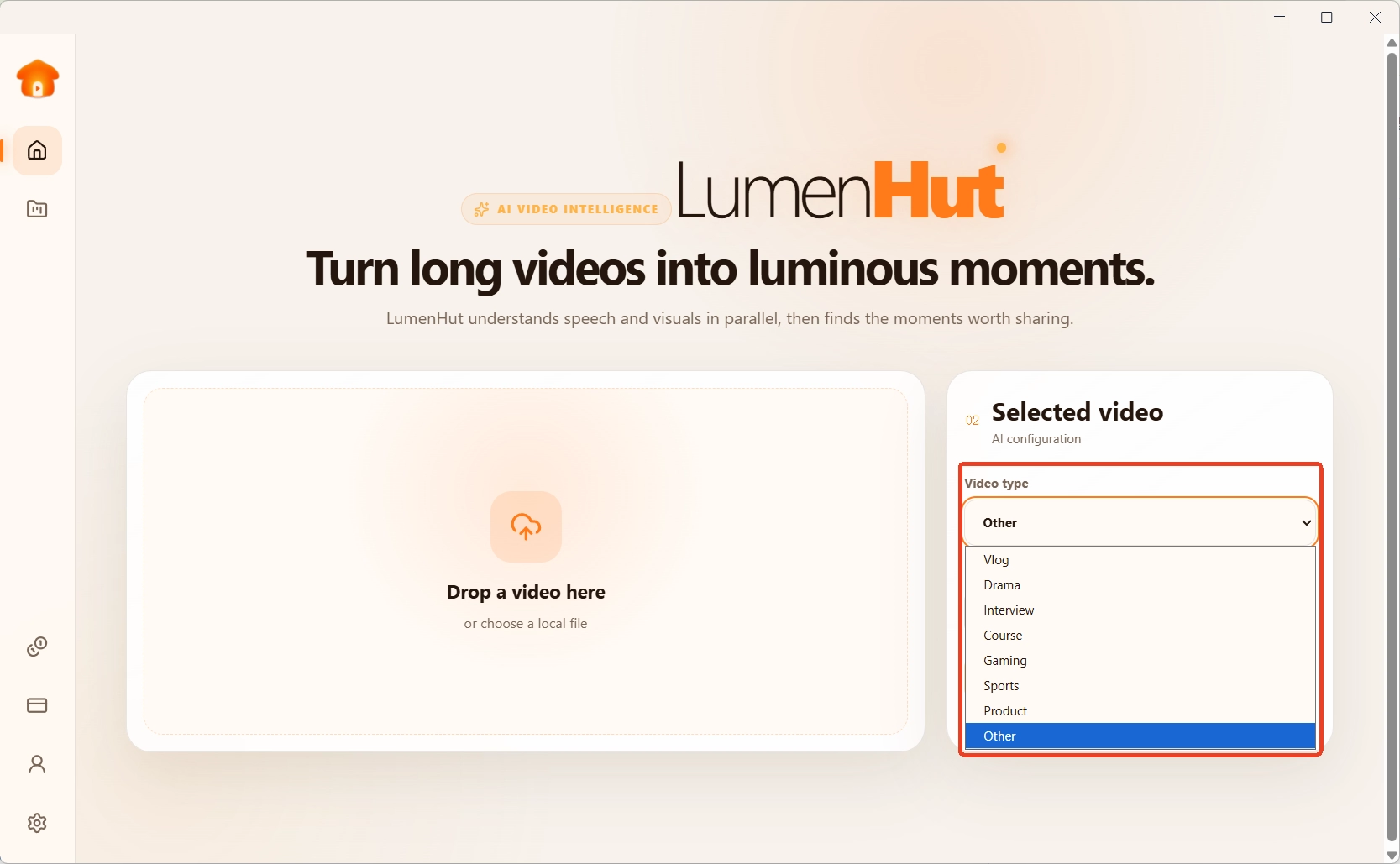
Uploading a drama, selecting Drama as the video type and setting how many clips LumenHut should return
2. Find the result on the Projects page
When the analysis finishes, open Projects in the left sidebar to see the videos that have been processed. Each card shows the video name, the processing time and the number of clips generated.
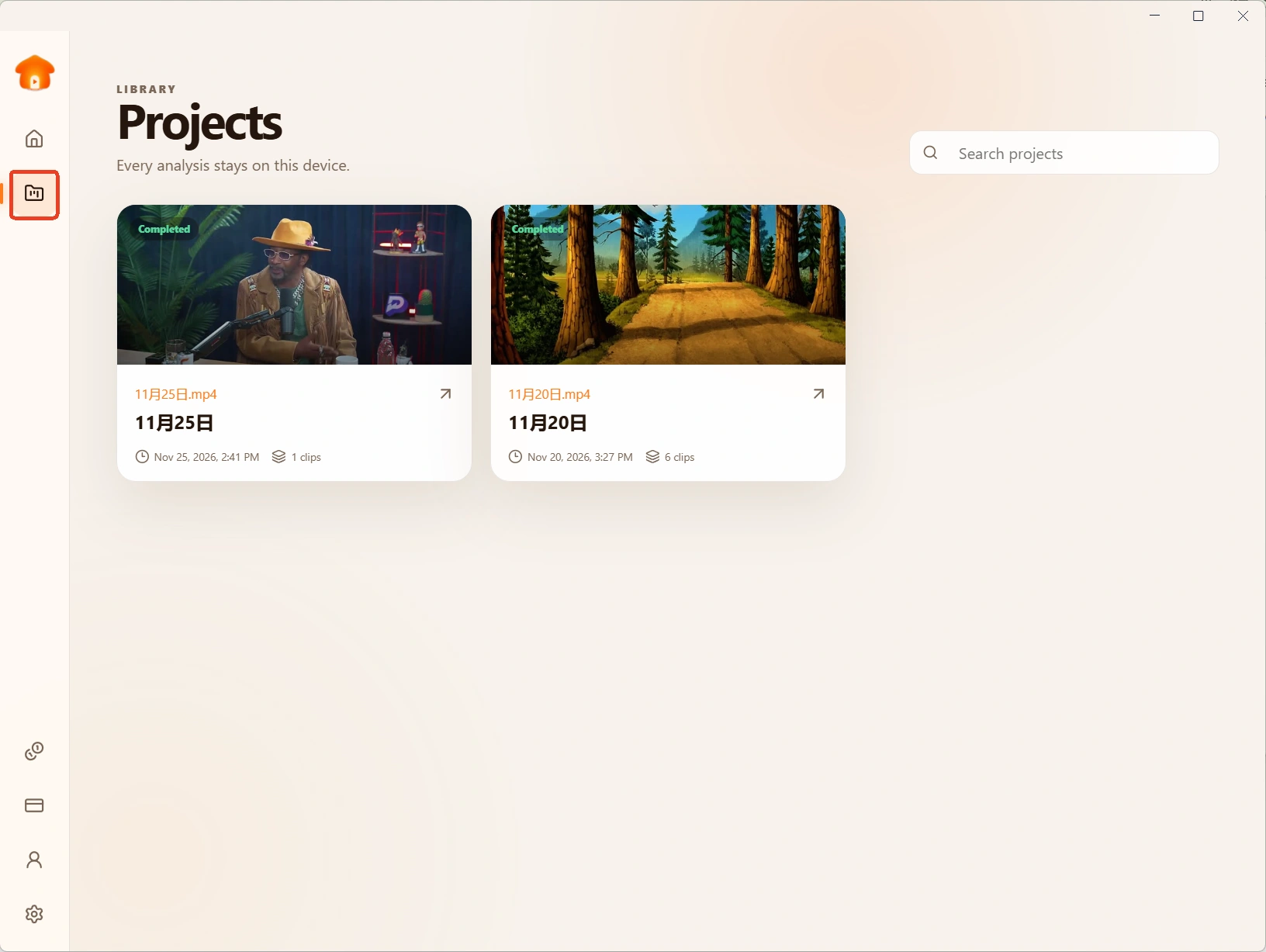
Videos that have completed highlight analysis, listed on the Projects page
3. Review the clips and keep the ones you need
Open a project to see the candidate highlights LumenHut produced. Every clip comes with a preview, a Why It Shines reason and its original timecode, so you can judge the content and find it in the source without hunting.
As you go through them, check whether the story is complete and whether it fits this promotion. Leave the clips you want switched on as Enabled and turn off the rest. Do not accept a clip purely on the strength of the reason the AI gave; confirm the story against the original footage.
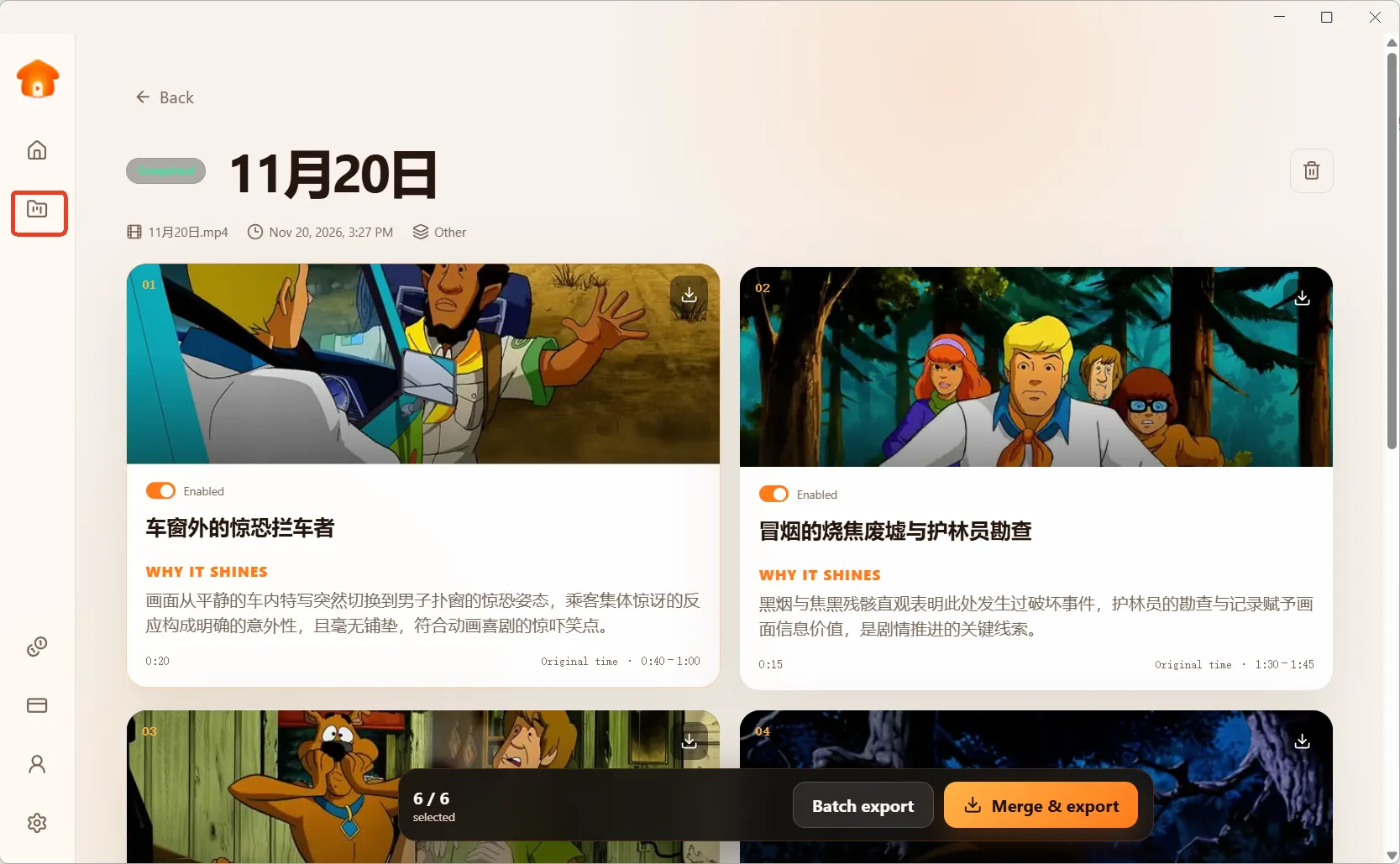
Candidate highlights from LumenHut, ready to keep or discard
4. Choose an export mode and save the video
How you export depends on what comes next. Making several separate promotional videos? Use Batch Export. Want the clips you selected stitched into one highlight reel? Use Merge Export.
For a single clip, click the download icon in the top-right corner of that clip's card.
A note on long footage: before analysing a long season, check the runtime and your credit balance first. LumenHut uses 1 credit per minute of input video, and the pricing page lists the plans and credit rules.
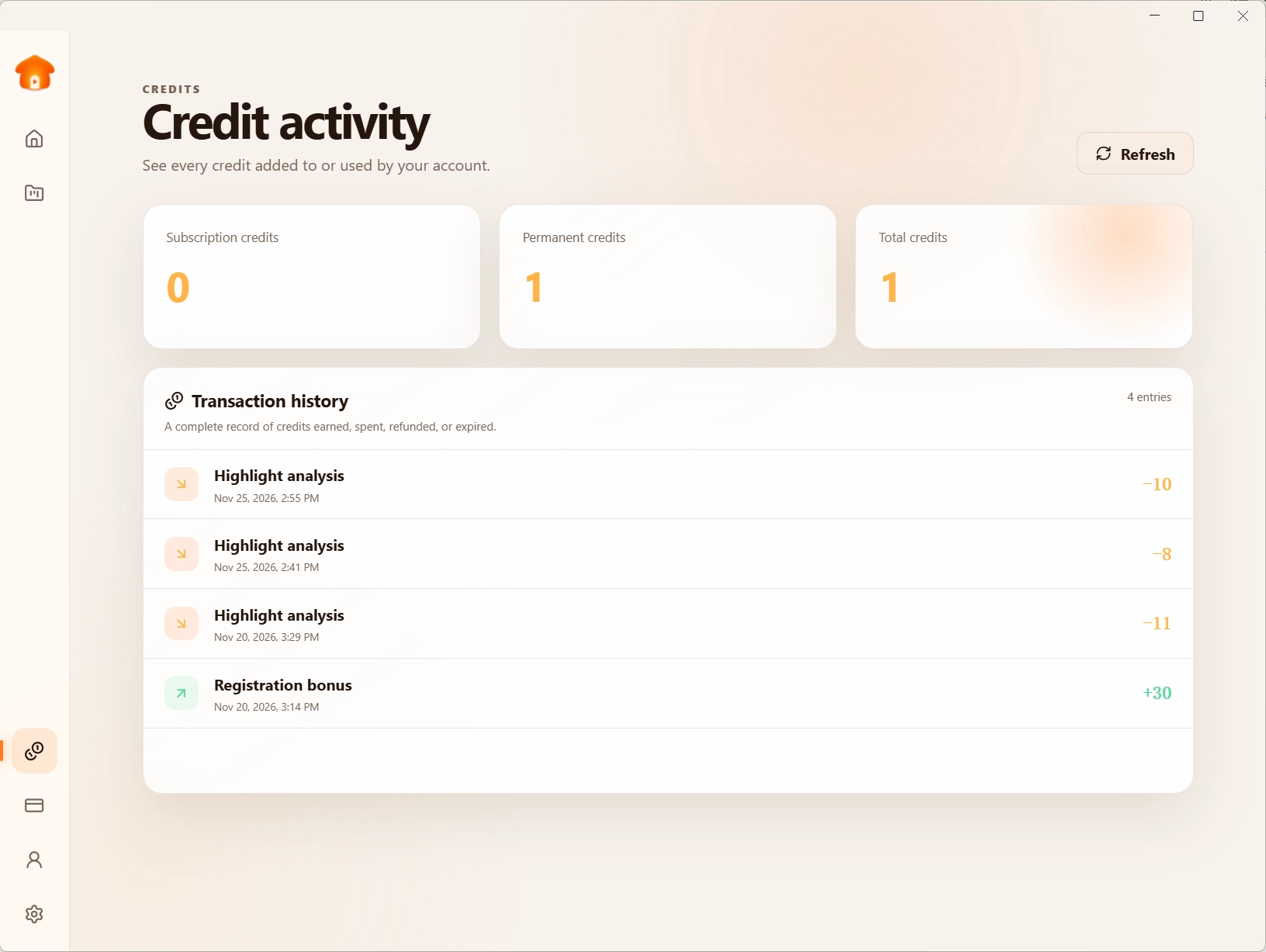
Credit usage for highlight analysis, recorded in Credit details
Keep in mind what LumenHut actually gives you: candidate clips that make selection faster, not a replacement for your own judgement about story completeness and promotional angle. After export, you still need to check subtitles, aspect ratio, thumbnail and title against the platform you are publishing on.
If you are still weighing up tools, seven criteria for choosing an AI video clipping tool, plus a four-step getting-started guide walks through the trade-offs based on your footage type and editing needs.
6. How to promote the clips once they are cut
With the highlight edit done, the next question is how each clip earns its own attention. A clip is not a trailer for the whole series. It works best when it is built around one specific story moment, so that even someone who has never heard of the show gets pulled in.
1. Build titles and thumbnails around the actual plot
The title should name the conflict or the turn that the video contains. Vague labels such as highlight reel or epic scene tell a viewer nothing. For the thumbnail, choose the frame with the clearest expression, the sharpest conflict, or the moment just before a reversal, so the video explains itself while someone is scrolling.
The same drama can support very different angles.
| What the clip shows | Where the title can go |
|---|---|
| The protagonist is torn apart by a crowd | Everyone wrote them off. What did they do next? |
| A hidden identity is exposed | Nobody saw the second identity coming |
| Two characters collide | One argument that changed everything between them |
| The story turns unexpectedly | You thought it was over. The real twist was still ahead |
These are directions, not scripts. Whatever you write has to match what actually happens on screen, so do not invent a plot point to chase a click.
2. One drama can supply several themed campaigns
If a series has more than one strong storyline, build clips around different episodes and different phases: relationships and world-building early on, escalating conflict in the middle, then reversals and open questions later.
That raises the yield from footage you have already paid for, and it stops your account from posting near-identical clips back to back. Log which episode, which theme and which publish date each video belongs to, so you can manage and adjust later.
3. Let performance guide the next round of scenes
Views alone will not tell you much. Look at watch time, completion rate, comments, shares and saves in the platform's analytics to work out which storylines actually hold people.
Good views with fast drop-off usually means the opening runs too long, or the clip has no clear hook. Comments asking who these characters are or what happened before are a sign that you cut necessary context. And if one type of storyline keeps performing, go looking for the same theme in other episodes, while making sure each new video still adds something of its own.
7. What to check before you publish
Run through this list once before publishing. It is a cheap way to catch the problems that come from cutting too fast.
| What to check | What to confirm |
|---|---|
| Rights | Do you hold the permissions needed to edit and publish? |
| Story completeness | Are the relationships, the cause of the conflict and the outcome all clear? |
| Picture quality | Any stuttering, broken frames or jarring cuts? |
| Subtitles | Typos, bad line breaks, or text that does not match the audio? |
| Thumbnail and title | Do they reflect the clip accurately, without overstating the plot? |
| Platform requirements | Aspect ratio, length and content rules for the target platform? |
| AI content labelling | If the video contains AI-generated or synthetic content, has it been labelled as required? |
| Repetition | Is it too close to something you already posted? Does it have its own value? |
Where a drama contains AI-generated or AI-synthesised video and images, publishing also brings labelling duties. China's Measures for Labeling AI-Generated Synthetic Content, issued by the Cyberspace Administration of China and other authorities, set the baseline; apply them together with the specific rules of the platform you are posting on.
If a clip needs a paragraph of explanation before it makes sense, the scene selection or the edit range is usually the problem. Do not keep compressing it. Go back to the source and find a story beat that stands on its own.
FAQ
1. What is the difference between clip promotion and AI anime drama production?
Production begins with a novel, a script or an idea and uses AI to generate the visuals, the characters and the motion, ending in a complete video. Clip promotion works backwards from a drama that already exists: you re-edit it, choose the strongest story moments and shape them into material for short-video platforms. Different source material, different process, and this article is about the second.
2. How do I cut an anime drama clip that holds attention?
Anchor the clip on one clear hook: a conflict, a reveal, an emotional break. Then keep the context and the key lines that make that hook legible, so a first-time viewer can follow roughly what is happening. Once the cut works, let the thumbnail and title point straight at the hook.
3. How long should a clip be?
There is no single number that fits everything. Length follows how much setup and explanation the scene needs. A simple confrontation can be told in fifteen seconds; a turn that depends on relationships and earlier events needs room. Never trade comprehension for a shorter runtime.
4. Can LumenHut create an AI anime drama?
No. LumenHut analyses video you already have and returns candidate highlight clips, so you can find the usable parts of a long recording faster. It is not a tool for generating an anime drama from a novel or a script. If the drama is already finished, it can help you shortlist highlights and export them.
5. Can one episode yield more than one promotional video?
Yes, as long as the episode contains several storylines that stand apart. Build one clip around the conflict, another around the turning point, and a third around the emotional shift. Each should carry its own theme and its own reason to be watched; reusing the same footage under a new title does not count.
Final thoughts
Promoting an AI anime drama through clips is not about extracting the maximum number of fragments from an episode. It is about finding the moments that are genuinely worth sharing, and making each video land one clear point.
Rights, scene selection, editing, packaging and the review after publishing all shape the result. When the source runs long or spans multiple episodes, LumenHut's highlight analysis gives you a shortlist to start from, and you take it from there with the actual story in front of you.